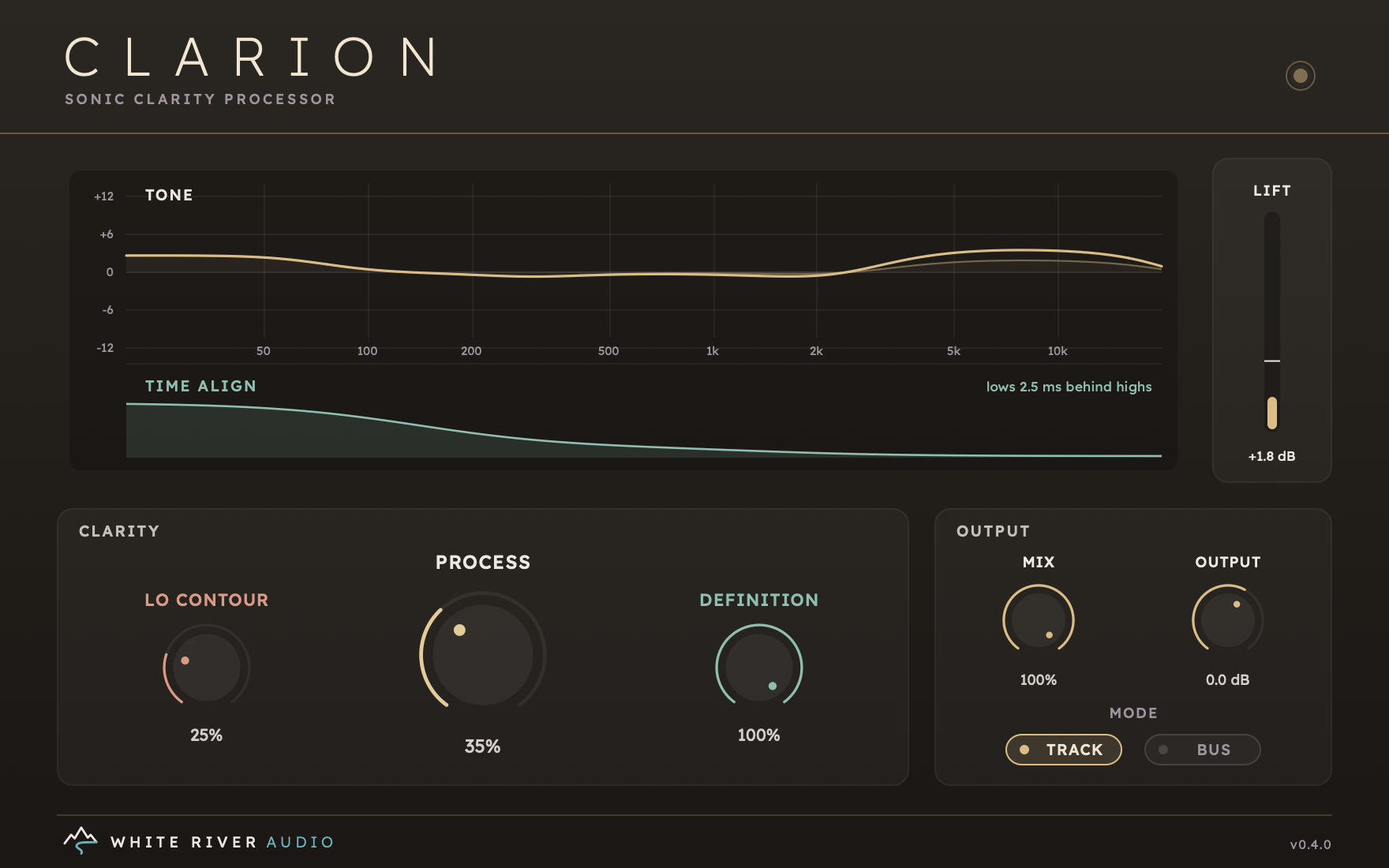
Clarion brings out clarity and definition. It lifts the high band a little all the time and more on each attack, firms up the lows, and lines up the timing of lows and highs, so a track sounds clearer without simply turning up the treble. It works on single tracks, on instrument and vocal buses, and on the mix bus. It adds no latency and never rides the level on its own.
1
2
3
4
5
6
7
8
9
10
Bright line: the live tone, moving with each attack. The dim curve under it is the steady setting.
How far the lows arrive behind the highs at each frequency, with the largest delay written on the right.
The current high-band lift in dB, with a peak marker.
Glows with the lift and the signal level.
| 5PROCESSdefault 35% | The main control. Lifts the band above 3 kHz a little all the time and more on each attack (a pick, a consonant). It backs off on material that is already bright. Change it: higher for a dull or distant track; lower if it starts to sound edgy. |
| 6LO CONTOURdefault 25% | A firmer, less muddy low end: a bass shelf around 75 Hz with a gentle dip around 300 Hz. Change it: higher for a thin track or a loose low end; lower or off on a track that is already full. |
| 7DEFINITIONdefault 100% | Time alignment. The lows arrive slightly behind the highs (about 2.6 ms at 30 Hz, nearly nothing above 5 kHz), as in classic clarity hardware. It changes only timing, never the tone. Change it: lower if a bass-heavy source loses punch; it is subtle by design. |
| 8MIXdefault 100% | Blends Clarion with the dry signal. The dry signal is time-aligned too, so blending never causes comb filtering. Change it: lower for a gentler, parallel effect, especially on the mix bus. |
| 9OUTPUTdefault 0 dB, −18 to +12 dB | A fixed level trim. Clarion never matches the level automatically; use Output for an exact A/B. |
| 10MODEdefault Track | Track reacts quickly to every pick and consonant. Bus reacts more slowly and keeps more of its lift steady, so a group or a mix doesn't flicker. Change it: Bus on buses and the mix bus, Track everywhere else. |
On a vocal, after Laminar: Clarion then works on an even level. On instruments, anywhere after the track's EQ and compression. On the mix bus, early in the chain, before any final limiting.
Use Bus mode, and start low: 15–25% Process with Mix at 50–100% is often plenty. A little Clarion on several buses adds up.
Clarion makes a track a little louder: about +0.6 dB at the defaults, +2.1 dB at Process 100%. It never rides the level itself, so the result stays exactly as you set it.
With every control at 0 Clarion passes the signal through untouched.
Clarion is not an EQ for cutting problems or a de-esser.