Intelligent voice leveling
Laminar
Rides a vocal's level the way an engineer's hand on the fader would.
It catches the peaks, lifts the quiet lines and pulls down the loud ones, and leaves breaths and noise alone. It works out the singer's normal level by itself.
Version 0.9.20 · AU and VST3 · macOS and Windows
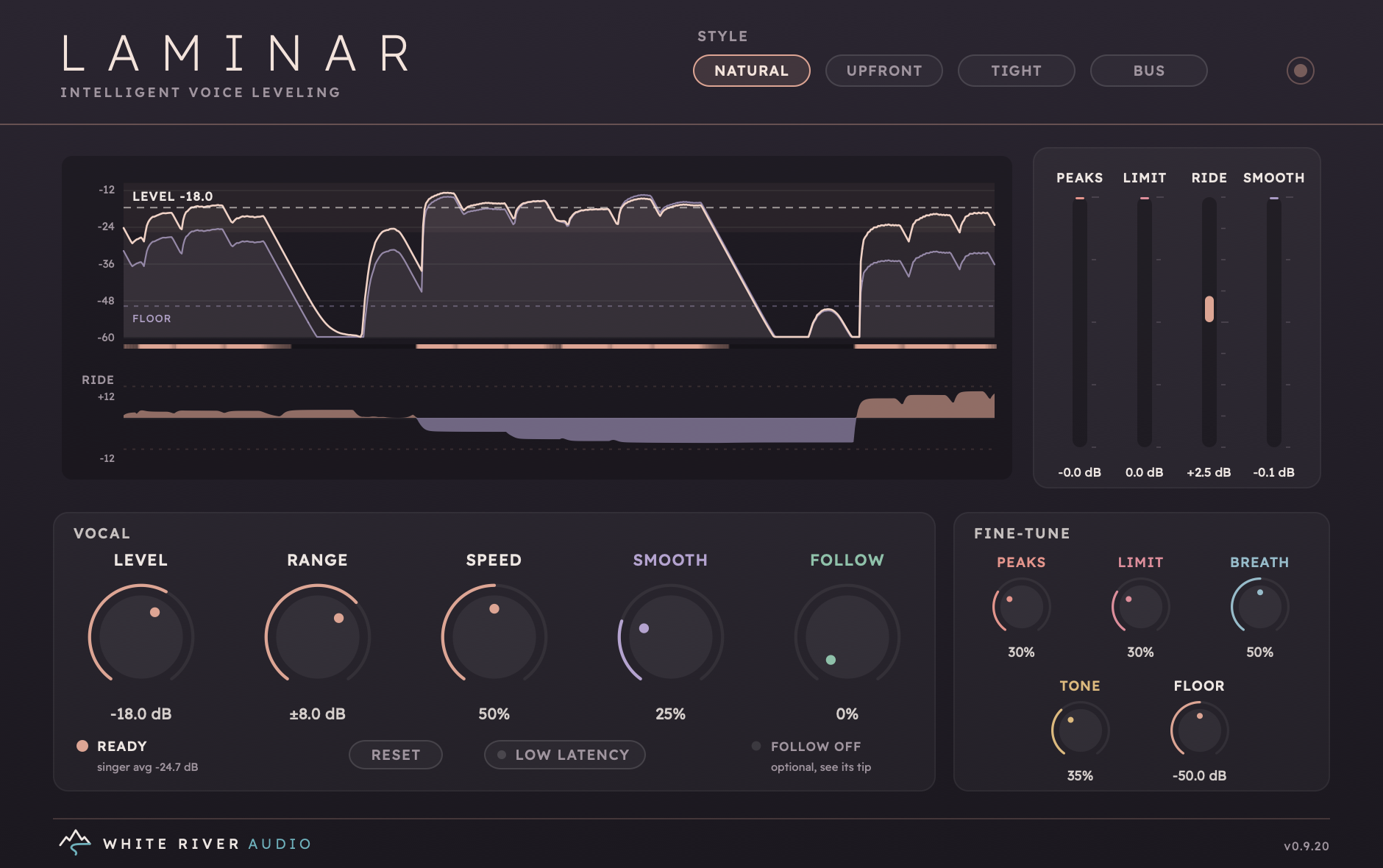
Learns the singer
After about thirty seconds of singing it says Ready. From then on every playback and bounce sounds the same.
Follows the band
Put the band on the side chain and Laminar brings the vocal up when the chorus gets louder, so it never gets buried.
Low Latency mode
A much shorter delay, so it can stay on while the singer records through it.
How to use it
Three steps, then leave it alone.
Put it first
Laminar goes first on the vocal. Level sets how loud the vocal comes out of it; -18 is a good place to start. Balance the vocal in the mix with the fader.
Pick a style
Natural, Upfront or Tight on a single voice. Bus on a group of voices.
Play the song
Under Level it says Listening, then Ready. That's it.
Four styles
From barely there to right up front.
Natural
The default. Evens out the lines without flattening the performance.
Upfront
More range and firmer peaks, for a voice that sits further forward.
Tight
The most even. Single words stay in line too.
Bus
Glue for a group of voices: backing vocals or a vocal bus.
Details
At a glance
- Price
- Free
- Formats
- AU and VST3 on macOS · VST3 on Windows
- Systems
- macOS (Apple silicon and Intel) · Windows 64-bit
- Side chain
- Optional, for the band
- Version
- 0.9.20
Download
Free, for Mac and PC
The Mac download is a signed installer. The Windows download is the VST3 plugin in a zip.